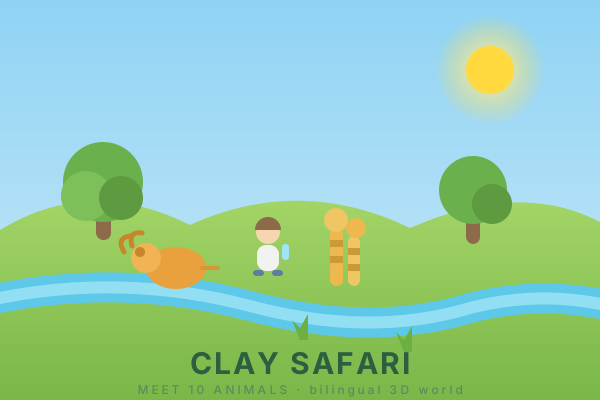
Clay Safari
A clay-style 3D world for kids, in English or Chinese. Walk around a small islan...
Clay Safari
📖 How to Play
Click Start Exploring on the loading screen once the clay is ready — tap the 中文 / EN button first if you'd rather play in Chinese. Walk with WASD or arrow keys, click the ground to move toward a spot, click an animal to hear its name and its call. Each animal is added to the explorer journal; collect all ten for confetti. Drag to rotate the camera, scroll to zoom, or press the robot button for an automatic tour.
📚 Complete Game Guide
Clay Safari
Clay Safari is a claymation-style 3D world built for young children. Ten clay animals — lion, giraffe, zebra, elephant, monkey, hippo, crocodile, snake, bird and fish — live on a little island with an S-shaped river, a bridge and a sandy path. Walk around, tap the animals, and learn what they are called.
Everything you see and hear is generated in code. The animals were sculpted by a Blender Python script, the textures are drawn with a noise algorithm, the animal calls are synthesised through the Web Audio API, and the names are read aloud by the browser's own speech synthesis. There are no image, model or audio files anywhere in the project.
How to Play
- Pick your language if the default English isn't right for you — the 中文 / EN button sits in the top-right of the loading screen, and again beside the title in the top-left once you're in the world. The choice is remembered for next time.
- Click Start Exploring ▶ on the loading screen once the clay has finished being sculpted.
- Walk to an animal and click it. It plays its own reaction — the elephant flaps its ears, the crocodile opens its jaw, the bird flies a lap, the fish leaps out of the water.
- A word card appears and the animal is named aloud in your chosen language, followed by its call.
- The animal is added to the Explorer Journal (探险手册) in the top right. Collect all ten to trigger a confetti celebration.
- Press the 🤖 button for an automatic guided tour around the island.
Controls
- W / A / S / D or arrow keys — walk
- Click the ground — walk toward that spot
- Click an animal — hear its name and its call
- Drag — rotate the camera
- Scroll — zoom
- M — toggle the top-down overview poster
- T — start or stop the robot guided tour
- L — toggle the creature labels
- H — show or hide the help panel
- Esc — close an open word card and stop the tour
- On touch devices a virtual joystick appears for movement
Two Languages
Upstream this game shipped with a Chinese-only interface. For this integration
it now opens in English and switches to Chinese with one tap, covering
the loading screen, HUD, help panel, word cards, toasts, tour dialogue and the
speech-synthesis language itself — an English UI speaks English names with an
en-US voice, a Chinese UI speaks Chinese names with a zh-CN voice. The
floating 3D labels reorder too, putting the active language in the large slot.
The choice persists in localStorage; the game's own clay-safari-labels
preference is untouched.
Notes
- Both languages are equally first-class here; the bilingual word cards keep showing the other language alongside the active one, which is the point of the game.
- Names and calls use the browser's speech synthesis, so a matching English or Chinese voice pack installed on your OS gives the best result. With no voice pack installed the browser falls back to its default voice.
- Runs best on a desktop or a tablet; a phone works but the world is wide.
Open Source & License
Clay Safari is created by cclank and distributed under the MIT License.
- Source repository: https://github.com/cclank/clay-safari
- Original live build: https://clay-safari.lanshuagent.com/
This integration self-hosts the built game so it runs entirely in your browser.
The changes made to the upstream source are Vite's base set to ./ so the
bundle loads from the sub-path it is served from, and the English/Chinese
interface switch described above.
🎮 Controls
Share This Game
🎮 Related Games

Messenger
Step into the shoes of a messenger on a tiny, beautiful planet. Explore and deliver letters!
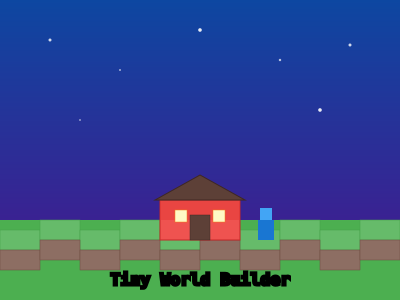
Tiny World Builder
A charming voxel-style 3D world builder powered by Three.js. Place blocks and create!

Jungle Trail
A first-person walk through a procedurally generated jungle trail into overgrown stone ruins and a waterfall. Built in Three.js with zero external art assets — every texture, mesh, and sound is generated in code. No objectives, no score: just explore.
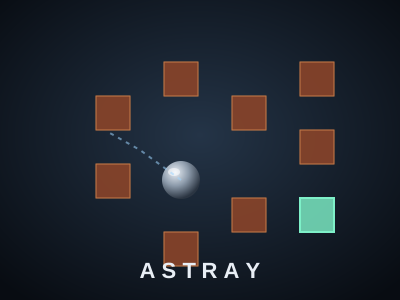
Astray
A 3D maze game built with Three.js and Box2D physics. Roll a steel ball through a procedurally generated maze — every level you clear makes the maze two cells bigger in each direction. By Tyler Whittle.
💬 Comments
Coming soon! Sign in to leave a comment.