HexGL
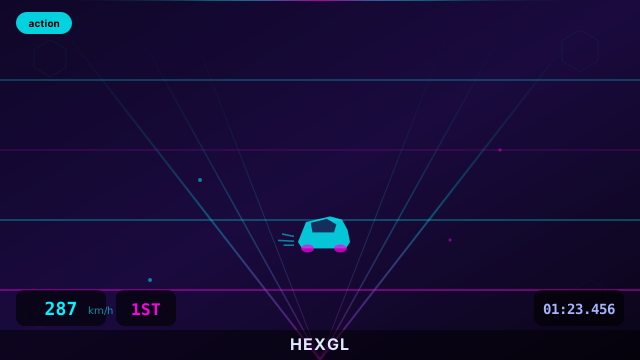
A fast-paced, futuristic 3D racing game built with Three.js. Race at breakneck s...
HexGL
📖 How to Play
Use Arrow Keys to steer and accelerate. Avoid obstacles. Race to the finish!
📚 Complete Game Guide
HexGL
HexGL is a futuristic HTML5 racing game by Thibaut Despoulain (BKcore), built
on Three.js and his own bkcore engine framework. You pilot a ship through a
course of hexagonal obstacles, and the whole thing is one continuous ribbon of
speed: the faster you go, the more the track curves and the less reaction time
you get.
The signature move is the bank-and-dive. Holding one trigger turns the ship into a drift to the left, the other drifts right, and doing it while steering tightens the turn considerably — at the cost of speed. Up arrow accelerates, down arrow lets off the throttle.
How to Play
- On the title screen, set your options and press Start.
- Click through the control help screen ("Click/Touch to continue").
- Wait for the progress bar as the track and textures load.
- Race. Hold Up Arrow to accelerate and steer with Left / Right. Use the triggers to carve tight corners through the hex gates.
- Crashing costs you a life and resets your speed. Clear the course before you run out.
- The results screen shows your time — click to reload and try again.
Controls
All of these are read directly from bkcore/hexgl/ShipControls.js and
bkcore/hexgl/HexGL.js:
- Up Arrow — accelerate (adds thrust every frame)
- Down Arrow — brake / release thrust
- Left Arrow and Right Arrow — steer
- Q or A — left trigger: air-brake into a left drift. Steering left while held doubles the turn rate
- D or E — right trigger: air-brake into a right drift. Steering right while held doubles the turn rate
- Escape — restart the race
- Click — advance the help and results screens
Start Menu Options
Each option cycles when you click it:
- Controls — Keyboard, Touch, Leap Motion Controller, Gamepad. It defaults to Touch on touch devices and Keyboard everywhere else
- Quality — Low, Mid, High, Very High (defaults to High)
- HUD — Off or On (defaults to On)
- Godmode — Off or On (defaults to Off)
Gamepad Support
Gamepad is a first-class option, not an afterthought. If the browser reports a
compatible controller, the ship's left stick steers directly, and the triggers
drive the same drift system as Q/A and D/E on the keyboard.
Touch Controls
Selecting Touch swaps in a dedicated on-screen control layer — the game also
ships TouchController.js and OrientationController.js, and the CSS includes
touchcontroller.css alongside mobile-specific help images. Device
orientation is supported as well as on-screen controls.
Tips
- Drifting is faster than turning. A plain left/right input turns you gently; adding a trigger turns much harder but bleeds speed through the air brake. Use it only when a corner actually demands it.
- Carry speed through the straights. Air drag constantly slows you, so if you lift off the throttle you will lose more than you expect.
- Steering with a drift roughly doubles that drift's turn rate — the two inputs are meant to be combined, not used separately.
About
HexGL ships with two texture sets: textures/ is the low-resolution default and
textures.full/ is the full-size set. Per the upstream README, swapping the two
directories upgrades the visuals.
The project's engine layer is BKcore's own: bkcore/threejs/ for rendering,
shaders, particles and preloading, and bkcore/hexgl/ for the game itself. The
CoffeeScript sources are kept alongside the compiled JavaScript in
bkcore.coffee/, and the replays/ folder holds recorded ghost runs.
In-app credits list Thibaut Despoulain (BKcore) for concept and development, with
townxelliot and mahesh.kk as contributors, Charnel for the HexMKI base model and
Nobiax for the track texture. Music and sound effects are credited individually in
audio/LICENSE.
License
HexGL is MIT licensed — see LICENSE in the game folder for the full text, and
public/games/hexgl/ATTRIBUTION.md for the complete provenance record. Note that
some audio assets are not MIT: boost.ogg, wind.ogg and destroyed.ogg are
CC BY 3.0, while crash.ogg and bg.ogg are public domain, each with its own
credit in audio/LICENSE.
🎮 Controls
Share This Game
🎮 Related Games
Slope
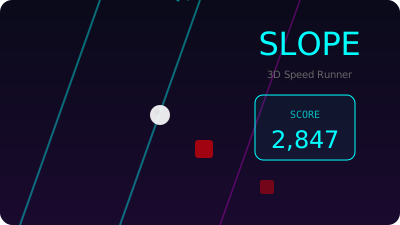
A legendary 3D endless runner where you control a ball racing down a neon-lit slope!
Messenger
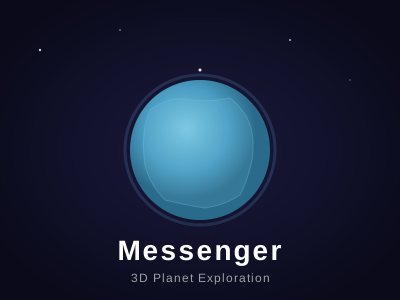
Step into the shoes of a messenger on a tiny, beautiful planet. Explore and deliver letters!
Tiny World Builder
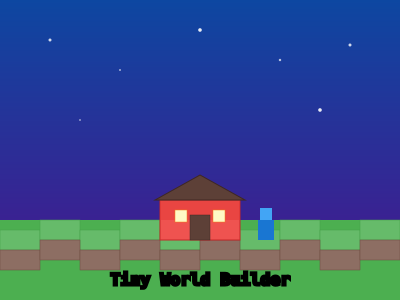
A charming voxel-style 3D world builder powered by Three.js. Place blocks and create!
Samsy Ninja
A stunning 3D interactive experience with VRM character models, WebGPU rendering, particle effects, and cinematic visuals.
💬 Comments
Coming soon! Sign in to leave a comment.