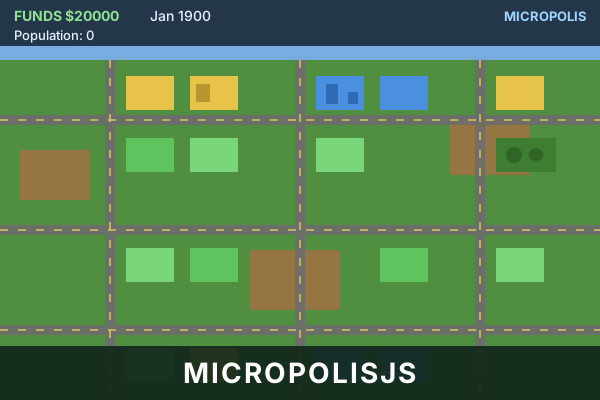
micropolisJS
The open-source SimCity, rebuilt for the web. Zone land, build roads and power, ...
micropolisJS
📖 How to Play
On the splash screen choose Play this map (or Generate another for a new one), then type a city name, pick a difficulty and press Play! to start. Pick a tool from the right-hand panel, then click or drag on the map to place it — zones are 3x3, roads and wires are 1 tile. Everything needs road access and power, and services (police, fire, park) only work within range. Use the Query tool to see why a tile is not growing. Set taxes and spending from the Budget button; keep them moderate or residents will leave. Arrow keys or WASD pan the view, Escape cancels the current tool or closes a dialog.
📚 Complete Game Guide
micropolisJS
Micropolis was the open-source 1989 release of SimCity, and this is a hand-written HTML5/JavaScript port of it. You start with an empty patch of terrain and a small treasury, and everything after that is up to you: where the roads go, what gets zoned, how much you tax, and whether the city survives the disasters.
It is a slow, systems-driven builder rather than a fast arcade game. There are no tutorials here — just a city and the consequences of every decision you make about it.
How to Play
On the splash screen, you are offered a map to play. You have three choices:
- Play this map — continue with the generated map, and move on to naming your city.
- Generate another — roll a brand-new random map first.
- Load game — pick up a city you saved earlier (greyed out until you have saved one).
Then name your city. Type a name (up to 15 letters), pick a difficulty — Easy, Medium or Hard — and press Play!. A map is generated on this second screen, so expect a moment before the city appears.
To build:
- Pick a tool from the panel on the right (roads, zones, services, and so on).
- Click or drag on the map to place it. Zones are three tiles square; roads and wires are one tile.
- Services need coverage. Police, fire and parks only work within their range of the buildings they protect — build them spread out among your zones, not all in one corner.
- Power is the prerequisite. Nothing grows without electricity. Run wire from a coal plant and make sure the wires actually touch your zones.
- Watch the clock. Each tick is a month. Your population and tax income grow over years, so a new city feels slow at first and then suddenly takes off.
Budget and taxes are set from the Budget button. Tax too high and residents leave (and may riot); tax too low and you run out of money. Set how much of the roads/fire/police budgets is actually funded.
The Query tool is your best friend. Click any tile to see its zone type, land value, crime, pollution, growth rate and service coverage — far more informative than guessing.
Controls
| Action | Input |
|---|---|
| Select a tool | Click a button in the right-hand tools panel |
| Place / drag to build | Left-click on the map (drag for roads and wires) |
| Cancel the current tool | Esc |
| Pan the view | Arrow keys, or W A S D |
| Close a dialog | Esc |
Everything else is on screen — the info bar (date, funds, score, population, city class) is top-left, the Budget / Evaluation / Disasters / Save / Settings / Take Picture / Pause buttons are down the left side.
Tools and their running costs
| Tool | Cost | Notes |
|---|---|---|
| Residential | $100 | Zones homes; density grows over time |
| Commercial | $100 | Zones shops and offices |
| Industrial | $100 | Zones factories; wants to be near coal and rail |
| Road | $10 | Everything must connect by road |
| Rail | $20 | Freight rail — boosts industry |
| Wire | $5 | Carries power from your plants |
| Coal power plant | $3,000 | The source of all your electricity |
| Police | $500 | Reduces crime within range |
| Fire | $500 | Prevents fire spreading |
| Park | $10 | Raises nearby land value |
| Port | $3,000 | Enables water trade, ships |
| Stadium | $5,000 | Boosts development nearby |
| Nuclear | $5,000 | Cheap power, but be ready for a meltdown |
| Airport | $10,000 | Enables air trade |
| Bulldozer | $1 | Clears anything |
| Query | free | Inspects a tile instead of building |
Beginner Tips
- Lay a road grid first, then zone along it. Zoned land with no road access will never develop.
- Power before population. A coal plant plus wires early is cheaper than a city that blackouts.
- Residential low, commercial middle, industrial upwind. The classic layout still works, and industry near coal/rail saves you money.
- Build two of everything. One fire station leaves half the city unprotected.
- Keep taxes around 7% to start. You can always raise them when you need cash — raising them too far is the most common way to lose a city.
- Use Query when something isn't growing. It usually means no road, no power, or no police coverage.
- Use Take Picture to keep a record of how far you've come.
Open Source & License
micropolisJS was written by Graeme McCutcheon and contributors, and is distributed under the GNU General Public License v3 with additional terms (no trademark or publicity rights are granted).
- Source repository: https://github.com/graememcc/micropolisJS
Micropolis itself is a registered trademark of the Micropolis Corporation (Micropolis GmbH) and is used here as a courtesy under the Micropolis Public Name License. SimCity is a trademark of Electronic Arts; no rights in it are granted.
This integration self-hosts a fresh production build of the port, so it runs entirely in your browser.
🎮 Controls
Share This Game
🎮 Related Games
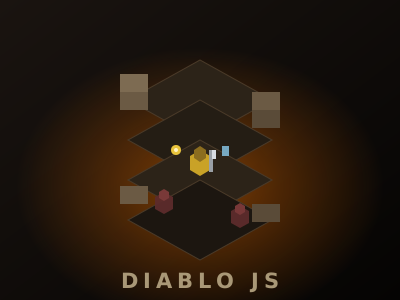
Diablo JS
A minimal-code isometric action-RPG on a single HTML5 canvas. Fight monsters, grab potions and coins, and survive — the entire engine and game is about 900 lines of dependency-free JavaScript.

Fluid Table Tennis
Two-player Pong played through a fluid simulation. Aim the flow and the ball curves with the water.

Hexahedral
An isometric block-pushing puzzle. Shove every block onto its target in the fewest moves, across three difficulty tiers.
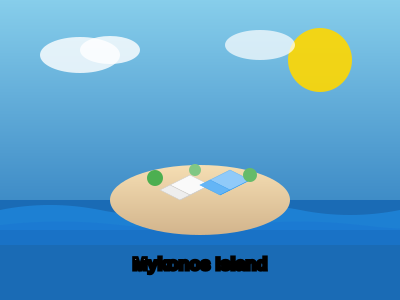
Island Builder
Build your dream island! Place houses, trees, decorations and watch your island come to life.
💬 Comments
Coming soon! Sign in to leave a comment.