React Tetris
A pixel-perfect React implementation of the classic Tetris game. Smooth controls...
React Tetris
📖 How to Play
Arrow keys to move/rotate. Complete horizontal lines to clear them. Speed increases!
📚 Complete Game Guide
React Tetris
React Tetris is a Tetris implementation by Chvin, built with React, Redux and Immutable.js — the author's stated aim being to code Tetris with that stack. The upstream description is simply "Use React, Redux, Immutable to code Tetris."
Two things set it apart from a plain Tetris clone. The first is responsive
input — full keyboard on PC, full touch on mobile. The second is complete
state persistence: the game subscribes to the Redux store and writes state to
localStorage on every change, recording it precisely enough that closing the
tab, refreshing, a crash or a dead phone battery all resume the game exactly where
you left off.
The architecture is the third point. Because an Immutable.js object cannot be modified in place, every change returns a new object, and the Redux store holds those immutable structures directly as its state. It is a genuinely readable example of the stack rather than a game bolted onto it.
How to Play
- The game starts paused — press
PorSto begin. - Pieces fall from the top. Move and rotate them to fill horizontal lines.
- Fill a line completely to clear it. Clearing more lines at once is worth far more — see the scoring table below.
- Every 10 lines cleared increases the fall speed, in six discrete steps.
- Stack pieces to the top of the 20-row field and the game ends.
Controls
The keyboard map is defined literally in the bundle as keyboard = { 37: 'left', 38: 'rotate', 39: 'right', 40: 'down', 32: 'space', 83: 's', 82: 'r', 80: 'p' },
and the listeners are bound to document with keydown and keyup:
- ← (37) — move left
- → (39) — move right
- ↑ (38) — rotate
- ↓ (40) — soft drop
- Space (32) — hard drop straight to the bottom
- P (80) — pause / resume. Also starts the game if no piece is active
- S (83) — toggle music
- R (82) — reset
There is also a set of on-screen buttons rendered beneath the board, which work with mouse and touch — the arrows, rotate, and the like.
Note that P and S are toggle keys with the same handler: if a piece is
active, P pauses; if the board is empty, it starts the game. So S both starts
the game and toggles music.
Scoring
Clearing one to four lines at once awards a flat number of points — the values in
the bundle are clearPoints = [100, 300, 700, 1500]:
| Lines cleared at once | Points |
|---|---|
| 1 | 100 |
| 2 | 300 |
| 3 | 700 |
| 4 (Tetris) | 1500 |
Speed
Fall speed steps through six levels, with a gravity interval per level:
| Speed level | Gravity interval |
|---|---|
| 1 | 800 ms |
| 2 | 650 ms |
| 3 | 500 ms |
| 4 | 370 ms |
| 5 | 250 ms |
| 6 (max) | 160 ms |
Speed increases by one level for every 10 lines cleared, and caps at level 6.
Save Data
State is stored under the localStorage key REACT_TETRIS, base64-encoded and
URL-encoded on write and decoded on load. High scores are read back through
lastRecord().
About
React Tetris was created by Chvin and is licensed under the Apache License
2.0, per the upstream package.json.
- Original game source: https://github.com/chvin/react-tetris
- Original live build: https://chvin.github.io/react-tetris/
The project's own README also links to several forks, including
learner-yu/react-tetris and daoruliu/react-tetris.
⚠️ Note on the license. The package.json declares "license": "Apache-2.0",
but no LICENSE file exists in the repository, and GitHub therefore reports
no license for it. Apache 2.0 requires the license text to be redistributed with
copies, so treat the grant as unverified and contact the author before
redistributing a derivative. See public/games/react-tetris/ATTRIBUTION.md for
the full provenance record.
The interface text is Chinese, as shipped upstream — the game detects locale and falls back accordingly. That is upstream's own UI language, not something this integration changed.
🎮 Controls
Share This Game
🎮 Related Games
2048
The legendary number puzzle! Merge tiles to reach 2048. Simple to learn, impossible to put down.
Minesweeper
Classic logic puzzle! Clear the minefield without detonating a mine. Numbers show adjacent mines.
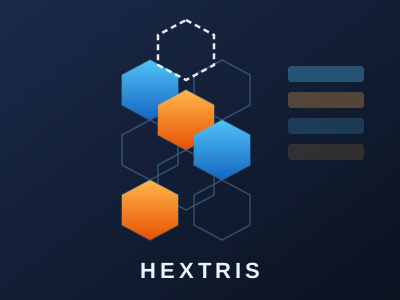
Hextris
Tetris on a hexagonal grid. Rotate and stack falling hexes, line up three of the same colour to clear them, and survive as the waves get faster. Plain JavaScript, no build step.
Hexahedral
An isometric block-pushing puzzle. Shove every block onto its target in the fewest moves, across three difficulty tiers.
💬 Comments
Coming soon! Sign in to leave a comment.