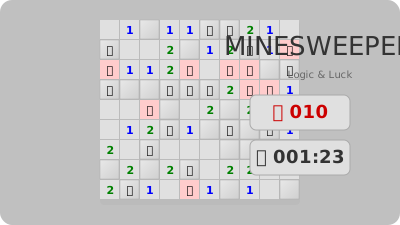
Minesweeper
Classic logic puzzle! Clear the minefield without detonating a mine. Numbers sho...
Minesweeper
📖 How to Play
Left-click to reveal. Right-click to flag mines. Numbers show adjacent mines.
📚 Complete Game Guide
Minesweeper
Minesweeper is the deduction puzzle that has frustrated and fascinated people for decades. Mines are hidden in a grid; clicking a safe cell reveals a number telling you how many mines sit in the eight cells around it. Click a mine and the game is over.
The whole game is a single idea: turn partial information into certainty. A
1 means exactly one of its eight neighbours is a mine. Two adjacent numbers that
share unknowns often force the answer outright. The click that feels like a
guess usually isn't, once you look properly.
How to Play
- Pick a difficulty — Easy or Medium.
- Click any cell to start. The first click is always safe: mines are only placed after it, so you can never lose on your opening move.
- Read the number revealed and work out where mines must be.
- Right-click to plant a flag on a cell you are sure about.
- Reveal every safe cell to win. If you reveal a mine, it ends the run.
- The timer starts on your first click and stops when you win or lose.
Controls
- Left click — reveal a cell
- Right click — place or remove a flag
- Click a difficulty button — Easy (9x9) or Medium (16x16)
That's the complete control set. There is no chording (middle-click or both-buttons to reveal neighbours), no keyboard input, and no long-press flagging for touch — those exist in other Minesweeper implementations, not this one.
Difficulty
Two levels, set in the code:
| Difficulty | Grid | Mines |
|---|---|---|
| Easy | 9x9 | 10 |
| Medium | 16x16 | 40 |
Easy defaults to a 10x10 board with 10 mines. Difficulty can also be set from the
page URL via a difficulty parameter.
Note: there is no Expert or Custom mode here — only these two presets.
Strategy
Start in a corner. Corners have only three neighbours, so a revealed 1 there
constrains very little; but a revealed 0 there cascades open a large region.
Centre cells give you far less information per click.
Flags are for certainty, not suspicion. The mine counter means an incorrect flag costs you: to win you need the flag count to match. Flag only what you can prove.
Use the overlap trick. When two numbered cells share unknown neighbours, the
mine must be in the shared ones. Two 1s side by side with a gap between them is
the single most common pattern in the game, and it solves a cell with no guessing.
Do the arithmetic. If a 2 has exactly two unknowns left beside it, both are
mines. If it has three, then all but one are — and if one is already flagged,
the other two are safe.
Edges and corners are cheaper. A cell on the border has five neighbours instead of eight, and a corner has three, so numbers there are far more constraining for the same reasoning.
When you must guess, guess late. The opening cascade usually opens a region with several provable cells. The tight spots are near the end, so leave them until the board is otherwise solved and at least your odds are the best they can be.
About
This is an independent implementation written for this site, in a single HTML file with no framework, no build step and no external requests of any kind. It is not derived from Microsoft's Windows Minesweeper — that original was bundled with Windows 3.1 in 1992 and remains protected; what is here is original code.
See public/games/minesweeper/ATTRIBUTION.md for the full provenance record.
🎮 Controls
Share This Game
🎮 Related Games
2048
The legendary number puzzle! Merge tiles to reach 2048. Simple to learn, impossible to put down.
Sudoku
The addictive number placement puzzle. Fill the grid with 1-9, no repeats in rows/columns/boxes!
React Tetris
A pixel-perfect React implementation of the classic Tetris game. Smooth controls, great visuals!
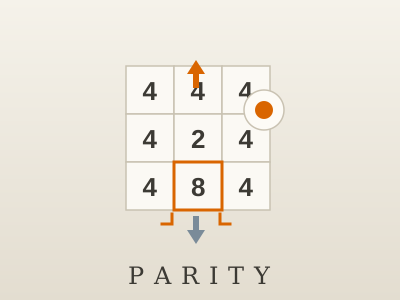
Parity
A 3×3 numbers puzzle in plain jQuery. Select a cell and push it up or down one power of two until every row, every column and all four corners add up to the same total. Ships with a long puzzle campaign.
💬 Comments
Coming soon! Sign in to leave a comment.