Sopwith
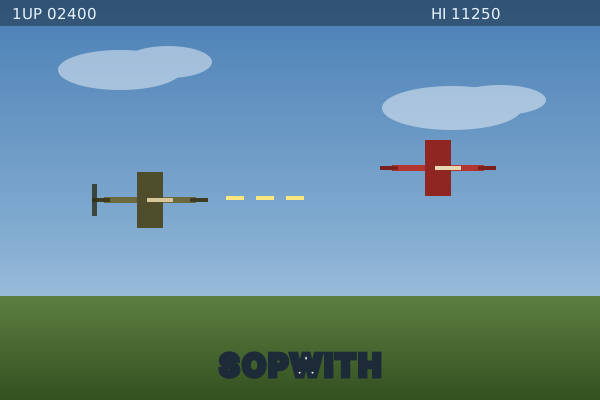
The classic bi-plane shoot-'em-up, back on the web. Fly a Sopwith Camel over a s...
Sopwith
📖 How to Play
Pull up with comma, pull down with slash, roll with period. Space fires the gun, B drops a bomb, X accelerates and Z decelerates, H calls Fly Home (any flap input cancels it). Reach the ground targets for the big points, and watch the fuel gauge — speed costs fuel. In-game options let you rebind every key and turn missiles and starbursts on (they are off by default). Ctrl+R restarts the level.
📚 Complete Game Guide
Sopwith
The original Sopwith: a side-scrolling biplane shoot-'em-up where you fly a Camel over a rolling landscape, strafe enemy fighters and bomb the ground targets. This is the SDL2 port compiled to WebAssembly, so it runs in the browser with the original soundtrack and scrolling terrain intact.
How to Play
You start each mission in the air with the ground scrolling beneath you. Your job is to clear the enemy planes out of the sky and take out the targets on the ground.
- Shoot down the enemy planes. Every plane you destroy scores, and there are usually more of them than you can comfortably handle in one pass.
- Bomb the ground targets. Press the bomb key while low over a target to drop a bomb. Ground targets are worth far more than a plane kill, so it pays to swoop down for them.
- Watch your fuel. The fuel gauge drains as you fly, and it runs out if you linger too long. Speed is fuel — holding accelerate burns it faster, but you need the speed to outrun trouble.
- Come home. If you get low on fuel and far from base, press Fly Home (
H) and the plane will automatically fly itself back to base for you. Note that any flap input cancels it, so let go of,and/and let the autopilot do the work. Using it costs you points. - Crash and you lose a life. Hit the ground, a tree, or a building and the mission is
over. Pull up with
,well before you reach the scenery. You get five lives. - Read the dashboard. Along the bottom edge: Score, Lives and Fuel in cyan, Bombs in magenta, plus the compass heading and altimeter.
Scoring
| Destroyed | Points |
|---|---|
| Enemy plane | 50 |
| Ground target | 100 |
| Oil tank | 200 |
| Each plane left over when you complete a level | 25 |
If your own targets get destroyed you lose the same number of points, so there is a real cost to letting bombs fall on the wrong thing. High scores are stored locally and shown on the title screen.
Your progress and settings are saved automatically in the browser, so you can close the tab and pick the same mission up later.
Controls
These are the default bindings, read directly from the SDL input layer
(src/sdl/video.c). All of them are remappable from the in-game options menu under
Keybindings.
| Action | Key |
|---|---|
| Pull Up | , |
| Pull Down | / |
| Flip Plane (roll) | . |
| Fire Gun | Space |
| Drop Bomb | B |
| Fly Home | H |
| Accelerate | X |
| Decelerate | Z |
| Toggle Sound | S |
| Fire Missile | V |
| Starburst | C |
Note on missiles: missiles and starbursts are disabled by default
(conf_missiles = 0 in src/swmain.c). V and C will do nothing until you turn them
on in the game options — look for the option alongside "Wounded planes" and "Oxen and
birds".
Additionally:
| Action | Key |
|---|---|
| Restart current level | Ctrl + R |
| Restart the game | Ctrl + Q |
| Toggle fullscreen | Alt + Enter |
Escape, Enter and Backspace navigate the menus.
A gamepad works too, and on a touch screen a row of on-screen controls appears along the bottom edge.
Beginner Tips
- Start in single player. The title menu's
Sstarts solo, which lets you get the feel of the stick before enemy planes start shooting back. - Accelerate to full speed on takeoff, or you will stall. This matters far more in versus mode, where a slow plane gets outmanoeuvred.
- Fire constantly. The gun has no penalty for shooting, so keep
Spaceheld down. - Bombs work on planes too. Dropping a bomb on an enemy is sometimes easier than lining up a gun shot — and you are limited to five.
- Don't fly level over the ground. Constantly pull up with
,and pull down with/to weave — staying at one altitude is how you hit a tree. - Dive for targets. Bombing is where the points are, but climb away immediately afterwards; low passes are the main way to die.
- Use the sky. If several planes converge, gain altitude and dive through them rather than turning in place.
- Save Fly Home for real emergencies. It costs you points you may need to clear the mission — and remember it only works while you are flying normally, not if you are already wounded.
In-Game Manual
Press M on the title screen (or D for game options) to open the full built-in manual, which covers the dashboard readouts, medals, and the original mission list.
Open Source & License
Sopwith was originally written by BMB Compuscience Canada (original author David L. Clark). The SDL port is maintained by Simon Howard with contributions from Christoph Reichenbach and Jesse Smith, and is distributed under the GNU General Public License v2.
- Source repository: https://github.com/fragglet/sdl-sopwith
This integration self-hosts a prebuilt WebAssembly compilation of version 2.9.0, so it runs entirely in your browser with no server-side component.
🎮 Controls
Share This Game
🎮 Related Games
Alien Invasion
Wave-based space shooter on a 320x480 canvas. March the descending aliens, dodge the bombs, and clear every wave.
Captain Rogers
A 1940s flying-saucer shooter with a deflector beam that absorbs fire and a proton beam that sweeps a wide arc.

Spashal
A retro vertical shooter with a full-screen mode, a screenshot button and a distinctly 1990s presentation.
Space Invaders
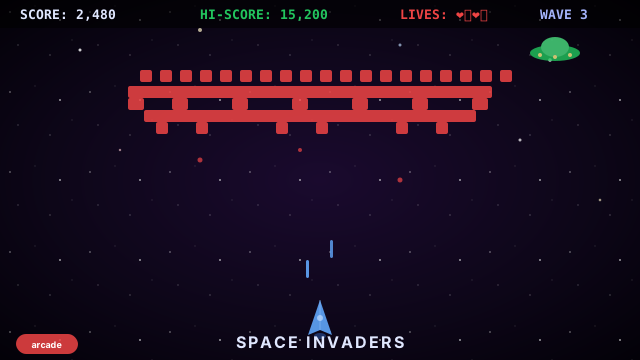
The legendary 1978 arcade shooter! Blast waves of alien invaders. Speed increases each wave!
💬 Comments
Coming soon! Sign in to leave a comment.